Skip to main content







MetaMask is no longer just an Ethereum wallet. As of late 2025, MetaMask natively supports Ethereum, all major EVM Layer-2s, Solana, Sei, Monad, and Bitcoin — all governed by a single recovery phrase. The wallet now has over 30 million monthly active users according to Consensys, comes with a Mastercard-issued debit card in the US, UK, EU, and several other countries, has integrated Hyperliquid perpetuals and Polymarket prediction markets directly inside the app, and is reportedly about to launch its own MASK token. This guide walks you through how to use MetaMask in 2026, what’s actually changed, and the security trade-offs that come with the new multichain architecture.
If you read a MetaMask guide from 2023, half of it is now wrong. MetaMask doesn’t only support Ethereum, it doesn’t require you to use chainlist.org for new networks, and “use MetaMask only for ETH” is no longer accurate advice. Here’s what beginners need to know.
What MetaMask Actually Is in 2026
MetaMask is a non-custodial crypto wallet. Non-custodial means you, and only you, hold the private keys to your funds. There is no support team that can recover your account if you lose your seed phrase, and there is no “reset password” button that will bring your crypto back. The trade-off is full control: no exchange can freeze your account, no third party can move your assets without your signature.
The wallet comes in two forms. The browser extension for Chrome, Firefox, Edge, and Brave is the most-used version and the standard for desktop dApp interaction. The mobile app for iOS and Android handles everything the extension does, plus the built-in browser for dApps on the go. Both share the same underlying wallet.
What MetaMask can do now: hold and send crypto across Ethereum, all major EVM chains (Arbitrum, Base, Optimism, Polygon, Linea), Solana, Sei, Monad, and Bitcoin; swap tokens with built-in bridging baked into swap quotes; trade perpetual futures directly inside the app via Hyperliquid integration; bet on prediction markets through Polymarket; hold and earn yield on Consensys’s mUSD stablecoin; spend crypto in the real world via the MetaMask Card; and connect to thousands of dApps for DeFi, NFTs, staking, and games.
How to Set Up MetaMask
Step 1: Download from the official source only
Fake MetaMask extensions are one of the most common drainer scams in crypto. They sit on shady download sites, appear in malicious Google Ads, and look pixel-identical to the real thing. Only download from metamask.io. For the browser extension, the site will redirect you to the Chrome Web Store, Firefox Add-ons, or your browser’s equivalent — confirm the publisher is Consensys before installing. For mobile, install from the official Apple App Store or Google Play Store listings.
Step 2: Set a strong device password
When you create a new wallet, MetaMask asks for a password. This password locks the wallet on your specific device — it does not protect your funds from someone with your seed phrase. Use at least 12 characters with a mix of letters, numbers, and symbols. Do not reuse a password from elsewhere.
Step 3: Back up your 12-word Secret Recovery Phrase
This is the single most important step in the entire setup. MetaMask generates a 12-word phrase (sometimes called a seed phrase) that is the master key to every asset in your wallet. Anyone who has these twelve words has your money. If you lose them, no one — not MetaMask, not Consensys, not Mastercard — can recover your funds.
A new wrinkle in 2026: the same recovery phrase now controls your Ethereum keys, your Solana keys, and your Bitcoin keys. CryptoSlate flagged the trade-off bluntly — “one compromised backup exposes every chain simultaneously.” The convenience is real, but so is the blast radius. Treat your seed phrase accordingly.
Here is what to do with the phrase:
- Write it on paper with a pen. Two copies, stored in two physically separate locations.
- For larger holdings, engrave it on a metal backup plate. Paper burns and floods.
- Store it offline and out of reach of casual visitors to your home.
Here is what to never do:
- Never screenshot the phrase. Your camera roll can sync to the cloud, which becomes an attack target.
- Never type it into a notes app, email, password manager, or cloud storage.
- Never share it with anyone claiming to be MetaMask support. Real support staff will never ask for your seed phrase. This is the most common scam in crypto, full stop.
- Never enter your seed phrase into any website, dApp, or popup. The only place it ever gets typed is inside MetaMask itself when you import an existing wallet.
Step 4: Confirm the phrase
MetaMask will ask you to tap or click the words back in the correct order. This forces you to confirm you actually wrote them down rather than skipping past the screen. Once confirmed, your wallet is live.
Receiving and Sending Crypto
Receiving crypto
Open MetaMask, select the account you want to receive into, and tap or click the Receive option. You’ll see your wallet address — for EVM chains this starts with 0x, for Solana it’s a base58 string, for Bitcoin it’s a SegWit address starting with bc1. Copy and share with the sender.
The single biggest mistake here is sending across the wrong network. ETH sent to a Solana address is gone. BTC sent to an Ethereum address is gone. USDC on Polygon sent to a USDC address on Ethereum may be recoverable if you control both networks. In doubt, send a small test transaction first.
Sending crypto
Tap Send, paste or scan the recipient address, pick the token, enter the amount, and review the gas fee. Ethereum mainnet can cost a few dollars during congestion. Solana, Base, Arbitrum, and Optimism typically run a few cents. Bitcoin transactions settle more slowly than EVM or Solana — usually 10-60 minutes — by design of the Bitcoin network itself, not a MetaMask issue.
Buying crypto
MetaMask integrates third-party providers like MoonPay and others. Tap Buy, pick a provider, and pay with card or bank transfer depending on your region. Fees typically run 2-4% on card payments. For larger amounts, it’s often cheaper to buy on a centralized exchange and withdraw to your MetaMask.
Adding Networks and Tokens
Networks
Older guides tell you to use chainlist.org to add networks manually. As of 2025, MetaMask has a built-in network catalog. Open the network dropdown at the top of the wallet, select Add a network, and you can pick from a curated list of pre-configured chains including Arbitrum, Base, Optimism, Polygon, Linea, BNB Chain, Avalanche, and more. Solana, Sei, Monad, and Bitcoin are now native to the wallet — no manual setup required.
If you do need to add a custom or new network, you can still do it manually via Settings → Networks → Add a network, where you’ll need the RPC URL, chain ID, native currency symbol, and block explorer URL. Always verify these details from the network’s official documentation.
Custom tokens
If a token doesn’t appear automatically in your account, tap Import Token, paste the contract address, and MetaMask will pull the details. Always verify the contract address from the project’s official website or a trusted source like CoinGecko or CoinMarketCap. Fake tokens with identical names to legitimate ones are everywhere.
Connecting to dApps
Most Web3 sites display a Connect Wallet button. Click it, choose MetaMask, and approve the connection in the wallet popup. Common dApps include Uniswap, Aave, Curve, Lido, PancakeSwap, Compound, OpenSea, Blur, and Magic Eden.
Two practical rules. First, only ever connect to URLs you have verified — phishing sites are everywhere, especially in Google Ads. Bookmark the real URLs. Second, periodically audit your active connections in MetaMask’s Connected Sites menu and disconnect anything you don’t actively use. Stale connections can be exploited if the dApp itself gets compromised.
Swapping, Bridging, and DeFi Inside MetaMask
The built-in swap feature now includes bridging — meaning you can swap, say, USDC on Arbitrum for ETH on Base in a single quote, with routes and network fees shown upfront. This was historically painful and required separate bridge transactions.
MetaMask has also integrated several DeFi products directly into the app. Perpetual futures and equity perps are available inside the wallet via Hyperliquid integration — no separate account needed. Polymarket prediction markets are accessible with one-tap funding from any EVM chain. mUSD, Consensys’s US dollar-pegged stablecoin, can be used for spending via the MetaMask Card, yield, and as a stable middle leg in swaps.
By contrast, swapping inside MetaMask is sometimes more expensive than swapping directly on a DEX like Uniswap or 1inch. The convenience usually justifies the spread for smaller transactions; for larger trades, comparing quotes against a DEX aggregator is worth the extra two minutes.
The MetaMask Card
One of the bigger 2025 launches is the MetaMask Card, a Mastercard-issued debit card that lets you spend crypto anywhere Mastercard is accepted — over 150 million merchants worldwide. As of February 2026, it’s available in the US (49 states, all except Vermont), UK, European Economic Area countries, Argentina, Brazil, Canada, Colombia, Mexico, and Switzerland.
The card is fully self-custodial. Funds stay in your MetaMask wallet until the moment of payment, at which point your crypto is converted to local currency. There is no preloading. Supported funding networks include Linea, Base, Monad, and Solana (Solana is currently excluded in the US).
Two tiers exist. The Virtual Card is free, supports Apple Pay and Google Pay, and offers 1% cashback paid out in mUSD. The Metal Card is a $199/year subscription, physical metal card, with 3% cashback on the first $10,000 spent annually (1% thereafter), no foreign transaction fees, higher ATM withdrawal limits, and a few travel perks. For anyone who spends meaningful crypto in everyday transactions, the Metal Card pays for itself at roughly $7,000 in annual spend.
MetaMask Security Features Worth Using
MetaMask has added several security features over the past two years that genuinely move the needle for beginners.
Built-in Security Alerts warn you about known scam dApps, suspicious transactions, and high-risk signature requests before you sign. Powered by Blockaid, this catches many phishing attempts that older versions of MetaMask would have let through.
Transaction Shield is a paid monthly subscription that provides up to $10,000/month in transaction protection plus priority support. Worth considering if you regularly interact with new or unaudited dApps. Skip it if you mostly stick to blue-chip protocols like Uniswap and Aave.
Hardware wallet integration works for Ledger and Trezor on EVM chains. For larger holdings, this is the most important upgrade you can make — your private keys stay on the physical device, which removes the entire category of remote-attack vectors. Solana and Bitcoin hardware wallet support inside MetaMask is still being rolled out as of late 2025.
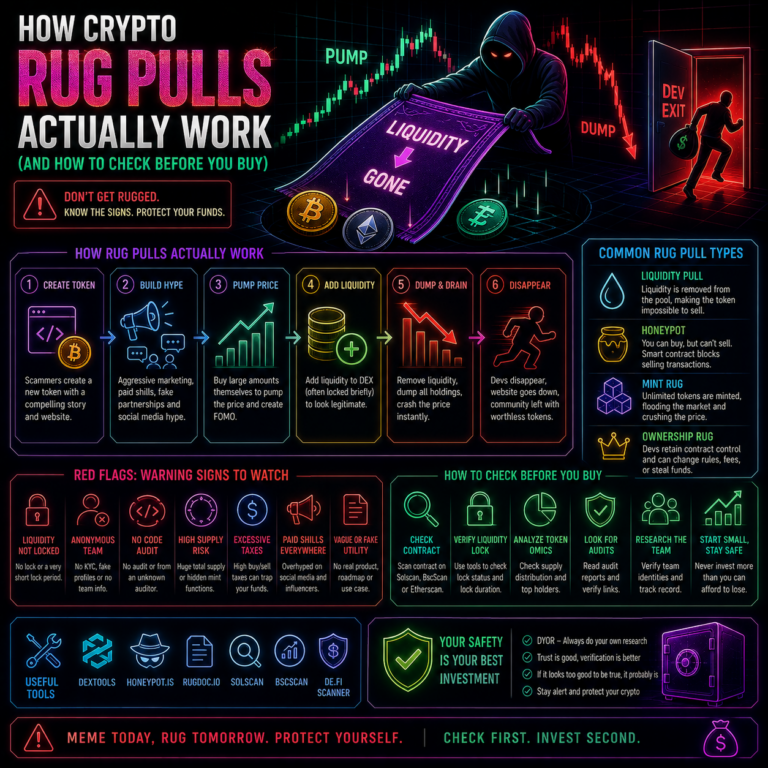
Approval management matters more than people realize. Most wallet drains don’t come from stolen seed phrases — they come from users approving malicious smart contracts that grant unlimited spend access. Use a tool like Revoke.cash periodically to audit and revoke old approvals you no longer need.
The MASK Token: What Beginners Should Know
Consensys has publicly confirmed it is developing a native token for MetaMask. CEO Joe Lubin told The Block in late 2025 that the MASK token could arrive “sooner than you would expect.” A claims portal briefly went live in October 2025 before being password-locked. As of this writing, the launch hasn’t happened, but the MetaMask Rewards program — which already gives points for swaps, card spending, and other activity — has been positioned as the likely qualification mechanism.
Practical implication: if you’re using MetaMask actively in 2026, you may want to ensure you’re earning MetaMask Rewards points by completing supported activity (swaps, card transactions, Bitcoin or Solana usage where incentivized). However, don’t change your behavior solely to farm a hypothetical airdrop — many crypto airdrops underperform their hype, and MASK isn’t guaranteed to be the exception.
Common MetaMask Errors and Fixes
“Insufficient funds for gas.” You have the token you’re trying to send, but not enough of the network’s native gas token. On Ethereum you need ETH, on Polygon you need POL (formerly MATIC), on BNB Chain you need BNB, on Solana you need SOL, on Bitcoin you need BTC for fees. Send a small amount of the native token first.
Token not showing. Add it manually via Import Token using the contract address, and double-check the network. USDC on Ethereum, USDC on Arbitrum, and USDC on Base are all different deployments.
Stuck pending transaction. Open the transaction in MetaMask, choose Speed Up to resubmit with a higher gas fee, or Cancel to attempt to void it. On L2s this is rarely needed because gas is so cheap.
Connected to the wrong network. Switch via the network dropdown at the top of the wallet. dApps will usually prompt you to switch automatically when you click Connect.
Slow Bitcoin confirmations. Bitcoin transactions typically take 10-60 minutes to confirm by design of the Bitcoin network. This is not a MetaMask bug. If you need faster settlement, use Lightning-enabled wallets for smaller BTC payments.
FAQ
Is MetaMask safe in 2026?
MetaMask is one of the most-audited and most-used wallets in crypto, with over 30 million monthly active users. The wallet itself is safe; the biggest risks are user mistakes — phishing, malicious dApp approvals, and lost or stolen seed phrases. The 2025 move to multichain means a single seed phrase now controls Ethereum, Solana, and Bitcoin keys, so a compromised backup exposes more value than it used to. For large holdings, pair MetaMask with a hardware wallet.
Does MetaMask support Solana and Bitcoin now?
Yes. Native Solana support launched in May 2025, followed by Sei in August, Monad in November, and native Bitcoin support on December 15, 2025. All three are managed under the same recovery phrase as your EVM accounts. Hardware wallet support for non-EVM chains is still rolling out.
What is the difference between MetaMask and MetaMask Card?
MetaMask is the wallet — the software you use to hold crypto and connect to dApps. The MetaMask Card is a separate Mastercard-issued debit card that links to your MetaMask wallet so you can spend crypto at physical and online merchants. You can use the wallet without the card. The card requires sign-up and is only available in eligible countries.
Will there be a MetaMask MASK token?
Consensys CEO Joe Lubin has publicly confirmed the company is actively developing a MASK token, with launch expected “sooner than you would expect” as of late 2025. A claims portal briefly appeared in October 2025. The MetaMask Rewards program has been positioned as the likely qualification mechanism. Always verify claims through official MetaMask channels — fake “MASK token claim” sites will proliferate the moment a real one launches.
Can I use MetaMask without paying anything?
The wallet itself is free. You’ll pay network gas fees for any transaction you send, which vary by chain. Built-in swap and bridge features charge a small spread on top of network costs. The Virtual MetaMask Card is free; the Metal Card is a $199/year subscription. Transaction Shield is an optional paid subscription.
Can I recover my MetaMask wallet if I lose my device?
Yes, as long as you still have your 12-word Secret Recovery Phrase. Install MetaMask on a new device, choose Import an existing wallet, and enter the phrase. Your full wallet — every chain, every account, every token — will restore. If you don’t have the seed phrase, the funds are unrecoverable. No one can help. Write it down.
Final Take
MetaMask in 2026 is a fundamentally different product than the Ethereum-only browser extension that launched in 2016. Multichain support across EVM, Solana, and Bitcoin; a Mastercard debit card in major markets; integrated perpetuals and prediction markets; security features powered by Blockaid; and an imminent native token. For beginners, the appeal is the same as it has always been — one wallet, full self-custody, broad ecosystem access. The trade-off is that more features mean more attack surface and a higher-stakes seed phrase. Get the basics right: download from the official source, write your seed phrase on paper, never share it, verify URLs before signing, and treat your wallet like a tool that demands the same attention you’d give a credit card. Do that and MetaMask remains the most powerful single piece of software in most crypto users’ toolkits.
Disclaimer
This article is published by CryptoLikeThis for news, education, and information purposes only. It is not financial advice, investment advice, or trading advice, and it should not be treated as a recommendation to buy, sell, or hold any cryptocurrency, token, NFT, or digital asset. Cryptocurrency markets are highly volatile and involve risk. Always carry out your own research and seek independent financial advice where appropriate before making any investment decision.
Sources
- MetaMask — MetaMask in 2025 Product Updates (Official)
- The Block — MetaMask Goes Multichain: One Account Supports EVM, Solana and Soon Bitcoin (October 2025)
- The Block — MetaMask Rolls Out Bitcoin Support (December 2025)
- CryptoSlate — MetaMask Advances Toward a Unified Crypto Wallet (October 2025)
- MetaMask Card — Official Page
- MetaMask — US MetaMask Card Launch (February 2026)
- Cointelegraph — Mastercard, MetaMask Launch Self-Custody Crypto Card in US (February 2026)
- MetaMask Help Center — MetaMask Card FAQ