







Best Crypto Exchanges for Absolute Beginners in 2026

A quick note on what this piece is not. We already compare exchanges on the usual measures of size and liquidity in our overview of the exchanges defining the industry. This one uses different criteria entirely, because the things that matter when you have never done this before are not the things that matter to an active trader. Choosing the best crypto exchange for beginners in 2026 comes down to how you can fund the account, how small your first deposit can be, how long your money is locked before you can move it, and whether anyone answers when something goes wrong. Key Takeaways Deposit minimums are lower than most people expect. Kraken’s published minimum for a UK bank transfer is £1. Card deposits are instant but expensive, and they trigger withdrawal holds on some platforms. On Coinbase in the UK, Faster Payments can add cash but cannot be used to buy directly. Cards can. Any best crypto exchange for beginners shortlist should start with the FCA register, which takes a minute to check. FCA registration covers anti money laundering compliance. It is not a guarantee your funds are safe. Best crypto exchange for beginners: the criteria that matter Four things, in rough order of how often they trip people up. Fiat on ramp: can you get money in using a method you already have? Minimum deposit: can you start small enough to make a mistake cheaply? Withdrawal holds: how long after funding before you can move anything? And support: is there a real complaints route? Notice what is missing. Trading fees barely matter on a first deposit of £50, and the difference between 0.16% and 0.4% is pennies. Liquidity depth is irrelevant at that size. Those metrics belong on a different page, which is why the best crypto exchange for beginners is rarely the same answer as the best exchange overall. Kraken: the published numbers Kraken documents its deposit terms more openly than most, which is a point in its favour for anyone comparing the best crypto exchange for beginners. Its cash deposit options page, last updated 17 August 2026, lists minimums and fees per method and currency. For UK users, a Faster Payments deposit via Plaid has a £1 minimum and no Kraken fee, settling in zero to one business days, though Kraken notes first deposits can take one to three. A debit card deposit has a £10 minimum and costs £0.25 plus 3.75%, which on a £50 deposit is around £2.13. In euros, SEPA carries a €1 minimum and no fee; in dollars, ACH via Plaid is $1 and free. The detail worth reading twice is withdrawal holds. Card, PayPal and digital wallet purchases trigger a 72 hour hold on all crypto and fiat withdrawals. Cash deposits via ACH Plaid are held seven days. Funds are available to trade immediately, but not to move. Kraken states plainly that this can change without notice and that you should check the funding page in your account. Coinbase: easier to start, with quirks Coinbase’s onboarding is generally smoother, and its payment methods page sets out what UK and EU customers can use. The structure has a wrinkle that confuses newcomers constantly. In the UK, a 3D Secure card can buy crypto, add cash and cash out, and settles instantly. Apple Pay can buy and add cash. Faster Payments can only add cash and cash out, not buy directly, and settles in one to three business days. Easy Bank Transfer can buy and add cash within about two hours. So the cheap method is slower and cannot be used at the point of purchase, while the instant one costs more. That trade sits at the heart of most first-timer confusion. Two more from the same page. The name on your payment method must match your Coinbase account name, and mismatches get a manual review of one to three business days. Prepaid, reloadable, secured and business cards are not supported. Neither is a dealbreaker, but both cause avoidable first-week delays. Coinbase does not publish a minimum deposit there, so we are not stating one. Check the register yourself This is the step almost nobody takes and it costs a minute. In the UK, firms providing cryptoasset services within scope of the money laundering regulations must register with the Financial Conduct Authority. The FCA’s cryptoassets page explains the requirement and links its register of cryptoasset firms, which is searchable by name. One catch: exchanges register under their legal entity rather than their brand, so searching a familiar name may return nothing. Search patiently before concluding a firm is unregistered. Be equally clear about what registration means. It confirms a firm meets anti money laundering and counter-terrorist-financing obligations. It is not an assessment of the platform’s financial health, its technology, or whether your money is protected if it fails. Treat it as a floor, not a recommendation. What good support actually looks like Support quality is hard to measure from outside, and any article claiming to rank it is guessing. What you can check before depositing: whether a published complaints process exists, whether the help centre documents fees and minimums openly rather than behind a login, and whether status pages are public. Kraken and Coinbase both publish complaints routes and status pages. Documentation transparency is a fair proxy for the best crypto exchange for beginners: a platform that publishes its minimums is likelier to answer a question about them. Disclaimer: This article is for informational and educational purposes only and is not financial or investment advice, and no platform mentioned is endorsed. Crypto assets are high risk and you may lose money. Fees, minimums, payment methods and availability change frequently and vary by country, so verify current terms with the platform before depositing. Do your own research and consider speaking to a qualified professional. See our editorial policy for how we source and verify our reporting. Final Thoughts The most useful thing about researching the best crypto exchange for beginners is discovering how
Stablecoins Explained: USDT vs USDC vs the New Entrants in 2026

Stablecoins get treated as interchangeable, which is the one assumption worth abandoning before choosing between them. They all sit near a dollar, but what sits behind that dollar differs a lot, and so does how often anyone independently checks. Anyone comparing the best stablecoins 2026 has produced should start with two questions: what is in the reserve, and who verified it and when. This piece answers both for USDT, USDC and a newer entrant, using each issuer’s own published reports. Key Takeaways On 13 August 2026 Tether announced KPMG had issued an unqualified opinion on its 2025 financial statements, its first full audit. Tether’s reserves include gold and bitcoin alongside Treasuries. USDC’s and RLUSD’s do not. Circle publishes USDC reserve holdings weekly with monthly attestations, a faster cadence than Tether’s quarterly reports. Ripple’s RLUSD is issued by Standard Custody, a NYDFS-chartered trust company required to back it fully with liquid short-term reserves. An attestation confirms a figure on a date. An audit examines the systems behind it. That difference separates the best stablecoins 2026 offers more than reserve size does. Attestation and audit are not the same thing This distinction runs through everything below. An attestation is a point-in-time examination in which an accountant confirms that a stated figure matches the assets on a specific date. An audit is broader, testing the transactions, systems, records and valuations behind a full set of financial statements over a period. For years almost every stablecoin issuer published attestations and none published a full audit, which is why the distinction became the central criticism of the sector. That changed this month. USDT: the largest of the best stablecoins 2026 lists, and newly audited Tether announced on 13 August 2026 that KPMG U.S. had completed a full independent audit of its financial statements for the year ended 31 December 2025 and issued an unqualified opinion, the most positive form an auditor can give. Tether says KPMG physically counted and inspected every individual gold bar rather than relying on custodian reports, and that the audited statements show reserves exceeding liabilities by $6.814 billion. Two things to hold alongside that. The audit covers 31 December 2025 and was published in August 2026, so there is a substantial lag between the reporting date and publication. And Tether’s own Q2 2026 attestation, published 31 July 2026, put the reserve buffer at $4.11 billion against roughly $184.6 billion in USD₮ issuance, lower than the audited year-end figure. Composition is where USDT genuinely differs. Tether’s Q3 2025 attestation reported US Treasury exposure of roughly $135 billion alongside gold at $12.9 billion and bitcoin at $9.9 billion, about 13% of total reserves. Holding volatile assets in the reserve of a stable asset is a design choice rather than an error, but it is one the other two here have not made. USDC: the transparency cadence Circle’s transparency page sets out a different approach. It states that Circle has issued reports on all reserve assets since 2018, that USDC reserve holdings are fully disclosed weekly along with mint and burn flows, and that Deloitte and Touche LLP has been Circle’s independent auditor since fiscal 2022. The reserve itself is deliberately plain: cash held at regulated banks plus short-dated US Treasuries held through a money market fund. No gold, no bitcoin, no secured loans. That narrowness is the product. It means fewer questions about valuation and fewer assets whose price can move against the peg. Weekly disclosure with monthly attestation is a meaningfully faster feedback loop than quarterly reporting. If you are ranking the best stablecoins 2026 by how quickly you would learn something had changed, that cadence is the differentiator rather than the reserve size. RLUSD: the newer entrant Ripple USD launched in December 2024, making it the youngest of the three by some distance. The structural detail worth knowing is who issues it. According to Ripple’s transparency page, RLUSD is issued by Standard Custody, chartered and supervised by the New York Department of Financial Services as a limited purpose trust company, which means the stablecoin is required to be backed 100% by highly liquid, short-term, transparent reserves and is subject to NYDFS customer protection and reserve requirements. Ripple publishes monthly reserve reports. Its product documentation names Deloitte as the accounting firm and states the attestations are performed by a US-licensed CPA under AICPA attestation standards, covering circulating supply and reserve composition. What RLUSD cannot offer yet is track record, and that is the one thing no newcomer to any best stablecoins 2026 list can shortcut. A charter and a Big Four attestation are strong signals, but not the same as a decade of redemptions through multiple crises. Its market is also far smaller, meaning thinner liquidity in some pairs. Our overview of crypto trading brokers covers where each is tradeable. How to compare the best stablecoins 2026 yourself Four checks, in order. What is in the reserve, and does it include anything whose price can fall? Who signs off, and is it an attestation or an audit? How often, and how long after the reporting date does it appear? And who regulates the issuer, since that determines what happens if something goes wrong. All four are published. None requires trusting a summary, including this one. Our coverage of stablecoin usage in 2026 covers why more holders are asking these questions. Disclaimer: This article is for informational and educational purposes only and is not financial or investment advice, and no stablecoin is endorsed. Stablecoins can and have lost their peg, and reserves, attestations and regulatory status change. Figures are drawn from issuers’ own published reports on the dates stated. Verify the latest reports directly before relying on any of this. See our editorial policy for how we source and verify our reporting. Final Thoughts The interesting thing about the best stablecoins 2026 conversation is how much it has improved. Three years ago the honest answer was that nobody could verify much of anything. Now the largest issuer has a clean Big Four
Layer 2 Networks Compared: Arbitrum vs Base vs Optimism in 2026

Anyone searching for the best layer 2 crypto network 2026 has to offer runs into a problem before comparing anything: the two most cited trackers rank these chains differently, because they measure different things. That is not a reason to ignore the data. It is a reason to know which number you are looking at. This piece explains what a Layer 2 actually does, then compares Arbitrum One, Base and OP Mainnet on value secured, activity and cost, using figures pulled on 27 August 2026 with the measurement caveats attached. Key Takeaways L2BEAT recorded $30.11 billion in rollup total value secured on 27 August 2026, up 36% over a year. Base led at $12.55 billion, with Arbitrum One at $11.62 billion and OP Mainnet at $1.63 billion. Base and Arbitrum together hold roughly 80% of rollup value secured, so the best layer 2 crypto network 2026 question is really a two-horse race. L2BEAT flags 38.6% of Base’s secured value as carrying additional trust assumptions, against 33.6% for Arbitrum and 17.8% for OP Mainnet. Rollups processed about 1.28 thousand user operations per second against Ethereum’s 29.82, a scaling factor of roughly 35x. What a Layer 2 actually does Ethereum settles a limited number of transactions per block, and when demand exceeds that limit, users bid up gas prices. A Layer 2 moves execution somewhere cheaper while keeping settlement on Ethereum. Transactions are processed off the main chain, batched, and posted back with either a validity proof or a window in which anyone can challenge an invalid state. That split is where the cost saving comes from. Instead of every transaction paying for Ethereum blockspace individually, a batch of thousands shares one posting cost. Since the March 2024 blob upgrade gave rollups a dedicated, cheaper data channel, that posting cost fell substantially, and user fees on major L2s moved into cents. Two designs dominate. Optimistic rollups assume batches are valid and allow a challenge period, conventionally seven days, before withdrawals finalise on Ethereum. Zero-knowledge rollups prove validity cryptographically, so withdrawals can settle faster. All three networks compared here are optimistic rollups, which is why they share a similar withdrawal profile. For how this fits the wider scaling picture, see our Ethereum versus Solana comparison and our coverage of cross-chain interoperability. Best layer 2 crypto network 2026: the figures compared L2BEAT’s value secured page showed rollup TVS of $30.11 billion on 27 August 2026, a 36% increase over twelve months, across 22 tracked rollups. Adding validiums, optimiums and other categories takes the total to $37.74 billion. Base led at $12.55 billion. It is an optimistic rollup built on the OP Stack, operated by Coinbase, and L2BEAT rates it Stage 1. Its distribution advantage is unusual: Coinbase’s user base and fiat rails feed directly into the chain. Arbitrum One sat at $11.62 billion, close behind. It runs the Nitro stack and has historically led on DeFi depth, particularly derivatives. It also offers Stylus, a second execution environment allowing contracts in Rust and C alongside Solidity. OP Mainnet held $1.63 billion, an order of magnitude smaller. Judging it on that number alone misses the point: OP Mainnet anchors the Superchain, a federation of OP Stack chains that includes Base itself. Its strategic position is broader than its own balance sheet. Together Base and Arbitrum hold about $24.2 billion of the $30.11 billion rollup total, roughly 80%. Whatever the best layer 2 crypto network 2026 turns out to be by other measures, value has concentrated in two places. The metric almost nobody quotes L2BEAT publishes a field alongside each TVS figure showing how much of that value carries additional trust assumptions, meaning assets bridged externally or minted natively rather than secured canonically by Ethereum. On 27 August 2026 that read 38.6% for Base, 33.6% for Arbitrum One and 17.8% for OP Mainnet. Read that carefully. The largest chain by headline value also has the largest share sitting outside the trust-minimised path, and the smallest has the cleanest profile. That inverts the best layer 2 crypto network 2026 ranking if security assumptions are what you care about, and it is published openly rather than buried. Activity, and why fee figures need caveats On L2BEAT’s activity page, rollups processed roughly 1.28 thousand user operations per second against Ethereum’s 29.82, a scaling factor of about 35x. That is the concrete answer to what Layer 2s deliver. Fees need more care. L2BEAT’s costs page tracks what each L2 pays Ethereum to post data and proofs, explicitly not what users pay, and those per-project figures render live rather than as a fixed snapshot. For user-facing fees the named tracker is growthepie, which publishes median transaction fees by chain and transaction type. Third-party compilations of growthepie data from April 2026 put median USDC transfer fees around $0.02 on Base, $0.03 on OP Mainnet and $0.04 on Arbitrum One. Those figures are several months old and I have not confirmed them against a live snapshot today, so treat them as indicative rather than current. Fees also vary by transaction type, with swaps and contract calls running materially higher than transfers. Why the trackers disagree L2BEAT’s FAQ explains the divergence directly. It reports Total Value Secured rather than Total Value Locked, covering all assets managed by the project including externally bridged and natively minted tokens, not only value locked in DeFi contracts. DeFiLlama-style TVL measures something narrower, and on that basis Arbitrum has generally ranked ahead of Base. Neither is wrong. They answer different questions. If you want to know how much value a chain’s security model is responsible for, TVS is the metric. If you want to know how much capital is deployed in DeFi there, TVL is. Quoting one while implying the other is where most best layer 2 crypto network 2026 comparisons go astray. Disclaimer: This article is for informational and educational purposes only and is not financial or investment advice, and no network or token is endorsed. Layer 2 networks carry smart contract, bridge and governance risks, and you
What Is Crypto Margin Trading and Who Should Actually Use It

Most explanations of crypto margin trading start with what you could make. This one starts with how you lose the position, because that is the part that actually happens and it runs on arithmetic you can check yourself. Borrowing to increase position size does not only scale gains. It scales losses at the same rate while introducing a floor at which the exchange closes you out automatically, whether or not you are watching. Knowing where that floor sits is the whole skill. Key Takeaways Liquidation in crypto margin trading is automatic, and once it starts it cannot be stopped. Kraken’s worked example shows a 5:1 long on Bitcoin at $20,000 getting a margin call near $13,200 and liquidation near $11,600. That is a 42% fall to lose the position, not a 100% fall. Kraken states that margin call notifications are sent by email but are not guaranteed. The FCA has barred firms from selling crypto derivatives to UK retail consumers since January 2021. How liquidation works in crypto margin trading When you open a position on margin, the exchange lends you the difference between your collateral and your position size, and protects that loan with a threshold. Fall below it and your position is closed to repay the borrowed funds. Kraken measures this as margin level: equity divided by used margin. Per its maintenance margin documentation, 100% means your trade balance is fully leveraged and you cannot open new positions. Between roughly 40% and 80%, liquidation is at Kraken’s discretion and some or all of your account may be closed. At around 40% or below, liquidation is certain. Three details from Kraken’s margin call and liquidation page, last updated 19 August 2026, matter before any talk of strategy. Margin call notifications are generally emailed but explicitly not assured. Positions close first in, first out, regardless of whether one is in profit. And automatic liquidations at the index price carry a 2% liquidation fee on top of the loss. The worked example, using the exchange’s own numbers Kraken publishes this calculation itself, which makes it verifiable rather than illustrative. You buy 1 BTC at $20,000 using 5:1 leverage. Your account then shows a trade balance of $10,000, used margin of $4,000, an opening cost of $20,000 and a margin level of 250%. For the margin call at 80%, required equity is 80% of $4,000, so $3,200. Profit and loss at that point is $3,200 minus your $10,000 trade balance, a loss of $6,800. Add that to the $20,000 opening cost and the position is worth $13,200. Bitcoin falling to roughly $13,200, a 34% decline, puts you on margin call. Run the same steps at the 40% liquidation level and you get $1,600 of required equity, a loss of $8,400, and a position value of $11,600. Bitcoin at $11,600 is a 42% fall from entry. That is the floor, and a 42% drawdown is unremarkable in crypto, as our coverage of crypto volatility in 2026 sets out. Why amplification is the whole point Hold $10,000 of Bitcoin outright and a 20% fall costs $2,000. Use that same $10,000 as collateral for a $20,000 position and the identical 20% fall costs $4,000, or 40% of your capital. At a $50,000 position, a 20% fall wipes out the entire $10,000. Nothing about the market changed across those three scenarios. The only variable was position size relative to collateral, and it turned an ordinary week into a total loss. That is the mechanism behind every crypto margin trading horror story, and it is not complicated. The bit most articles get wrong Here is a real subtlety in crypto margin trading. Kraken’s margin terms documentation states that the possibility of larger profits and larger losses is determined by position size relative to collateral, not merely by the leverage level you select. Choosing 5x does not make your position five times bigger. It sets a ceiling on what you can open. The counterintuitive consequence: for the same position size, a higher leverage setting leaves more free margin in the account, and so a larger buffer before liquidation. Risk in crypto margin trading comes from how much you open, not the number in the dropdown. Plenty of guides get this backwards. So who should actually use crypto margin trading Regulators have a firm position. The FCA banned the sale, marketing and distribution of crypto derivatives to all UK retail consumers from 6 January 2021, in Policy Statement PS20/10, reasoning that retail consumers cannot reliably assess the value and risks of these products given valuation difficulty, extreme volatility and market abuse. The FCA has since consulted on the exchange traded note element of that ban, so check the current position before assuming what is available to you. Spot margin carries its own eligibility criteria, which Kraken notes atop its documentation. Setting regulation aside, the honest answer is narrow. Crypto margin trading suits someone who calculates their liquidation price before opening, who uses it to hedge an existing position rather than amplify a directional bet, who sets a stop-loss well above the liquidation floor, and who could absorb the full loss without it mattering. If you are reading this to learn what margin is, you are not yet that person, and there is no shame in it. For exposure without the liquidation mechanic, our overview of crypto trading brokers covers spot options. Disclaimer: This article is for informational and educational purposes only and is not financial or investment advice, and nothing here is a recommendation to trade on margin. Leveraged trading carries a high risk of losing your entire position, and losses can occur quickly and without warning. Availability, eligibility and rules vary by jurisdiction and change. Verify current terms with the platform and consider speaking to a qualified professional before trading. See our editorial policy for how we source and verify our reporting. Final Thoughts The useful thing about crypto margin trading is that its central risk is not hidden. Every exchange publishes the threshold, and the arithmetic
How to Buy XRP Without KYC in 2026: What’s Actually Possible

Search results for how to buy XRP without KYC skip the awkward part: the honest answer has two halves. If you want to turn bank-account pounds or dollars into XRP without showing ID, the realistic answer in 2026 is that you mostly cannot at any regulated venue. If you already hold crypto and want to swap it into XRP without an exchange account, that is genuinely possible, and the XRP Ledger has a decentralized exchange built into the protocol itself. This piece explains the difference, the liquidity behind it, and what you give up. It is not a guide to avoiding rules that apply to you. Key Takeaways Fiat on-ramps at regulated providers require identity verification. That is the part of how to buy XRP without KYC with no realistic workaround. The XRP Ledger has an order-book DEX and an AMM built directly into the protocol, so on-ledger swaps need no account. DeFiLlama put XRPL DEX volume at $11.37 million over 24 hours on 26 August 2026, against a DEX versus CEX dominance of 0.04%. No KYC also means no fraud protection, no chargebacks, and no support desk if something goes wrong. Tax and reporting obligations do not disappear because a trade happened on-chain. How to buy XRP without KYC: what the phrase means A centralised exchange holds your assets and operates as a regulated business, which is why it asks for documents. A decentralized exchange is software. On the XRP Ledger, the decentralized exchange is not a company or a website: it is a peer-to-peer multi-currency exchange built directly into the blockchain, alongside an automated market maker added later as a protocol feature. You reach it through a wallet you control. No account exists, so nobody verifies you. That is the whole mechanism behind how to buy XRP without KYC on-ledger. It is not a loophole someone discovered, and it is not anonymous either. Every trade sits permanently on a public ledger anyone can read. The part nobody wants to say out loud To use an on-ledger DEX you must already hold crypto. Something funded that wallet, and for most people the first purchase came from a verified exchange account, so the trail exists regardless. Most people researching how to buy XRP without KYC discover this at the point of trying it. The alternatives are peer-to-peer trades and cash arrangements, which we are not going to walk through. They carry counterparty risk with no recourse, they attract scams, and in several jurisdictions running or repeatedly using them can put you inside money transmission rules you did not know applied. What the liquidity data shows This matters more than the ideology. Per DeFiLlama’s XRPL page on 26 August 2026, total value locked across XRPL DeFi was $42.01 million, 24-hour DEX volume was $11.37 million, and DEX versus CEX dominance sat at 0.04%. XRP itself was around $1.44, market cap near $90.5 billion. Read that ratio carefully. Roughly one twenty-five-hundredth of XRP trading happens on-ledger. The route works, but it is a narrow channel beside a very wide one, and thin liquidity means slippage on larger orders. That cost is separate from any question about privacy. A safety note while you are looking: searching for the XRPL DEX surfaces third-party sites using that name and promoting their own tokens. The native exchange is a ledger feature reached through a wallet, not a destination site. The community maintains a page for reporting scams, which says something about how common impersonation is. What you are giving up Verification is not only a burden. It is also what makes recovery possible. On a centralised platform there is an entity with obligations to you, a support process, and in some jurisdictions a compensation scheme. On-ledger there is none of that. A transaction sent to the wrong address is gone. A wallet drained by a malicious approval is gone. Nobody can reverse a settled XRPL transaction, which is the point of the design. If you want the regulated route instead, our overview of crypto trading brokers covers what those platforms offer, and our XRP outlook for 2026 covers the asset itself. The legal part, stated plainly Using a decentralized exchange is legal in most places. Using one to sidestep obligations that apply to you is a different thing, and this article is not a recommendation to do that. Two points to hold onto. Rules are tightening, not loosening: the EU’s Anti-Money Laundering Regulation, Regulation 2024/1624, prohibits regulated providers from maintaining anonymous crypto accounts from July 2027, as The Crypto Times reported in June 2026. Those obligations fall on service providers rather than individuals holding their own keys, but the direction is unmistakable. Separately, tax treatment does not depend on how you acquired something. A swap is generally a disposal of whatever you swapped, verified or not. Disclaimer: This article is for informational and educational purposes only and is not financial, tax or legal advice, and nothing here encourages evading identity, reporting or tax obligations that apply to you. Rules differ significantly by country and change over time. Decentralized trading carries risks including total loss with no recourse. Do your own research and consider speaking to a qualified professional. See our editorial policy for how we source and verify our reporting. Final Thoughts The realistic answer to how to buy XRP without KYC in 2026 is narrower than the search volume suggests. No verification-free path runs from a bank account to XRP at a regulated venue. A working path does run from crypto you already hold to XRP on a protocol-level exchange, and it costs you liquidity depth and every form of recourse. Whether that trade makes sense depends on why you want it. If the motivation is privacy from data brokers and breach exposure, it is a coherent reason with a real cost attached. If the motivation is avoiding an obligation that applies to you, the ledger is public, permanent, and a poor place to hide. Data Sources XRPL.org, Decentralized Exchange documentation, checked 26 August
Best Crypto-Backed Loans in 2026: How They Actually Work

Marketing pages tend to lead with the rate. That is the least important number. When you borrow against crypto, what decides whether you keep your collateral is the liquidation threshold, and the gap between your starting loan-to-value ratio and that threshold is your only real safety margin. So before naming any platform, this piece works through the mechanism and a real example. Anyone comparing the best crypto backed loans in 2026 should compare that gap first. Key Takeaways Across the best crypto backed loans, liquidation is automatic and sometimes permissionless. Nobody has to call you first. Your starting LTV, not the interest rate, determines how far the market can fall before you lose collateral. At a 50% starting LTV against Coinbase’s 86% liquidation rule, Bitcoin would need to fall about 42% to trigger. At 75%, roughly 13% does it. Nexo publishes a 50% maximum LTV on BTC and ETH collateral and sends margin calls above 70%. On Aave, liquidation is triggered by a health factor below 1 and executed by third-party liquidators who take a bonus from your collateral. How liquidation works on the best crypto backed loans Loan-to-value is your outstanding balance divided by the current market value of your collateral. You control the numerator. The market controls the denominator, which is why LTV rises when prices fall even though you have not borrowed another cent. Every lender sets a level at which that ratio becomes unacceptable. Cross it and collateral is sold to bring the loan back into line, usually with a penalty attached. Two features matter more than borrowers expect. It is automatic: Coinbase states plainly that it cannot prevent your collateral from being liquidated on Morpho, the onchain protocol its loans run through. And on decentralised protocols it is competitive: Aave’s documentation describes liquidation as permissionless, so any participant can initiate it and liquidators run bots to be first. A worked example, before any platform names Take one Bitcoin as collateral, priced at $78,148.54 on Nexo’s asset page on 26 August 2026. Borrow at 50% LTV and you receive about $39,074. Here is what a falling market does to that position, holding the loan balance constant: Down 20%, to $62,519. LTV rises to 62.5%. Uncomfortable, not urgent. Down 30%, to $54,704. LTV is 71.4%. Nexo states a margin call may be issued above 70% LTV, so expect contact around here. Down 40%, to $46,889. LTV is 83.3%, close to the line on most platforms. Down about 42%, to $45,435. LTV touches 86% and, under Coinbase’s published rule, the collateral is liquidated to repay the loan and cover a penalty fee. Bitcoin has moved 40% inside a single quarter more than once, so this is not a hypothetical stress test. Our coverage of crypto volatility and ETF flows in 2026 adds context on how fast conditions change. Starting LTV is the whole game Run the same arithmetic from different entry points against an 86% liquidation rule. Borrow at 30% LTV and Bitcoin has to fall roughly 65% before liquidation. At 50%, about 42%. At 75%, about 13%. That last figure deserves emphasis. A borrower who maxes out near the top of the permitted range is one ordinary bad week from forced sale, and the rate they negotiated is irrelevant at that point. This is the most useful filter when assessing the best crypto backed loans: not what you can borrow, but what you should. What three platforms actually publish Coinbase. Loans are denominated in USDC and run through the Morpho protocol on Base, with Bitcoin converted to cbBTC and moved onchain as collateral. Its borrow page, checked 26 August 2026, lists rates from 5.1%, limits up to $5,000,000 against Bitcoin, $1,000,000 against Ethereum and $100,000 against Solana, Cardano, XRP, Litecoin and Dogecoin, and no repayment schedule. Liquidation occurs when the loan including accrued interest reaches 86% of collateral market value. US only, excluding New York. Nexo. A custodial credit line rather than an onchain loan. Its borrow page, checked 26 August 2026, publishes per-asset LTVs: 50% for Bitcoin and Ethereum, 90% for USDT and USDC, 15% for its own NEXO token. Rates start at 1.9% per year, loans run from $50 to $2 million, and repayment is open-ended. Nexo’s product page states a margin call may be issued if LTV rises above 70%, with partial automatic repayments at a critical threshold, selling only the minimum required. Nexo does not publish that threshold figure. Third-party reviews cite around 83%, which is not independently confirmed against Nexo’s own materials. Aave. Fully onchain and non-custodial, so terms are set per asset by Aave Governance rather than quoted to you. Its health factor is total collateral value multiplied by the weighted average liquidation threshold, divided by total borrow value. Below 1, the position is liquidatable. Up to 50% of debt can be liquidated when the health factor is above 0.95 and both collateral and debt exceed $2,000, and up to 100% when it is 0.95 or below. Liquidators take a bonus from your collateral, and its size varies by asset. What to check before borrowing Four things, in this order, whichever of the best crypto backed loans you are weighing. What is the liquidation threshold, as a number rather than a promise to notify you? What is my starting LTV, and what percentage fall does it survive? Does a warning arrive early enough to act on? And who holds the collateral, since a custodial lender adds counterparty risk while an onchain protocol adds smart contract risk instead. One note platforms rarely highlight: these thresholds are not fixed. Lenders adjust LTV limits and liquidation levels in response to volatility, so the terms you borrowed under may not be the terms you are liquidated under. Check before each drawdown, not once. Disclaimer: This article is for informational and educational purposes only and is not financial, investment or tax advice. Borrowing against crypto carries a real risk of losing your collateral permanently, including in a rapid move you have no chance to respond
Crypto Tax Basics in 2026: What US Traders Actually Owe
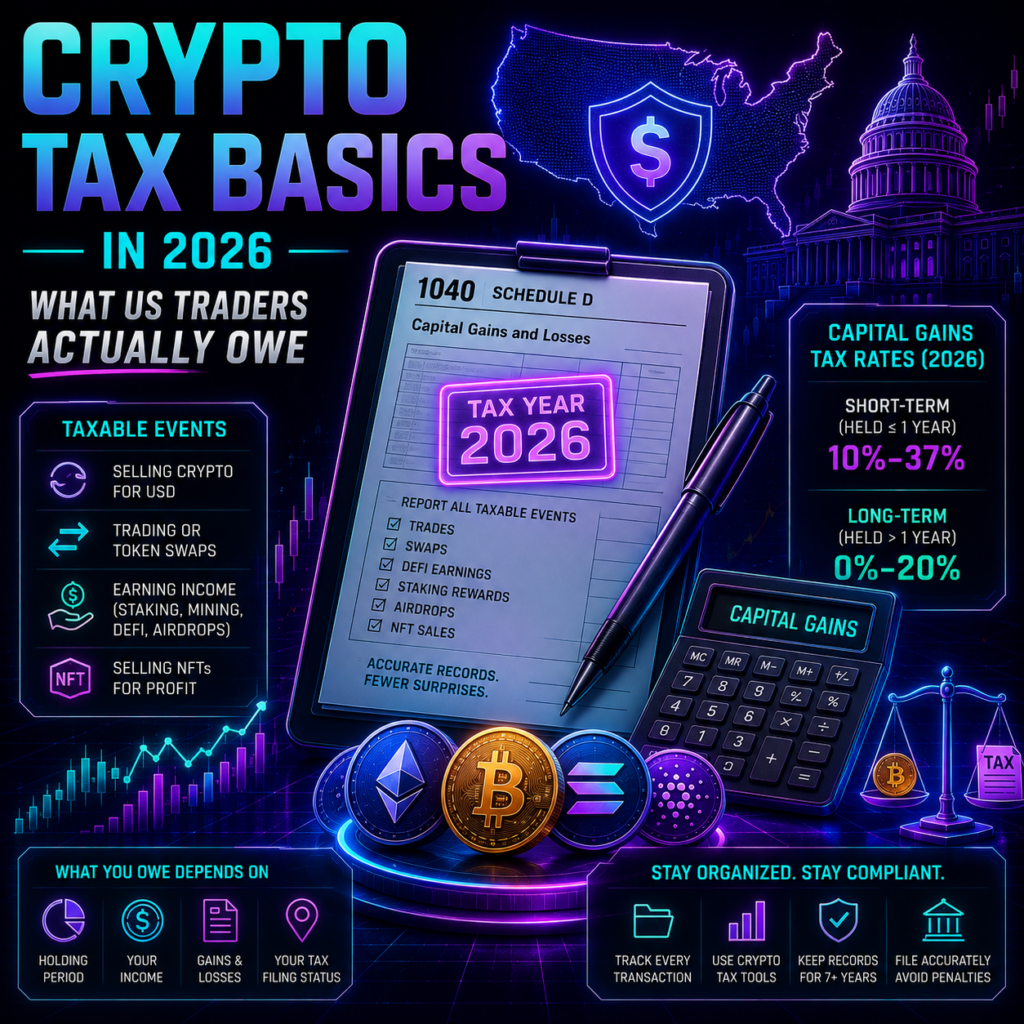
READ THIS FIRST. THIS IS NOT TAX ADVICE. This is general educational information about crypto taxes 2026 for US federal income tax purposes only. It is not tax, legal or financial advice and is no substitute for a professional who knows your circumstances. Outcomes depend on facts this article cannot know: your income, residency, state, how you hold assets and what you did with them. Rules differ by jurisdiction, state rules differ from federal rules, and guidance changes. Getting this wrong carries real legal and financial consequences, including penalties and interest. Before you file or act on anything below, speak to a licensed tax professional. Every statement here is sourced to published IRS guidance, linked inline, and you should read the original. See our editorial policy for how we source and verify our reporting. Most people who get into trouble with crypto taxes 2026 do not do it deliberately. They assume nothing happens until they cash out to a bank account. That assumption is wrong, and the reason is one line of IRS guidance: for US tax purposes, digital assets are property, not currency. Everything else follows. Here is what the IRS itself says, in plain language, with a source for each point. Key Takeaways Crypto taxes 2026 rest on one rule: the IRS treats digital assets as property, so property rules apply to every disposal. Buying with dollars and holding is not a taxable event. Neither is moving crypto between wallets you own. Selling, swapping one token for another, and spending crypto on goods or services are all disposals. You must report taxable transactions whether or not you receive a tax form. Brokers began issuing Form 1099-DA in 2026 for 2025 activity, changing what the IRS can see. Crypto taxes 2026 start with one definition The IRS digital assets page, last reviewed 24 August 2026, states it directly: for US tax purposes, digital assets are property, not currency. The definition covers cryptocurrencies such as Bitcoin, stablecoins and NFTs. Its FAQs on digital asset transactions repeat it at question 48: digital assets are treated as property, and the general tax principles applying to all property transactions apply to them. If you understand how selling a share of stock works, you understand the shape of crypto taxes 2026. Cost basis, disposal, and the difference is a gain or loss. What is not a taxable event This is where a lot of unnecessary anxiety about crypto taxes 2026 lives. Per the IRS digital assets page, you answer “No” to the digital assets question on your return if you only did the following: Held digital assets in a wallet or account without transacting Bought digital assets with US dollars or another real currency and did not sell them Transferred digital assets between wallets or accounts you own or control That third point has one exception the IRS is explicit about. FAQ 81 confirms moving assets between your own wallets is non-taxable, except to the extent you use or have withheld digital assets to pay for the transfer. FAQ 97 explains why: paying a network fee in crypto is itself a disposal, so you recognise gain or loss on the fee. Our MetaMask guide covers the mechanics of those transfers. One more that surprises people: FAQ 75 says receiving digital assets as a bona fide gift is not income when you receive it. You recognise nothing until you dispose of it. What is a taxable event The IRS lists these as disposals. Each one triggers a gain or loss calculation, and together they are most of what crypto taxes 2026 actually covers. Selling for dollars. FAQ 49: if you sell digital assets for US dollars or similar currency, you must recognise any capital gain or loss. Swapping one token for another. FAQ 64: exchanging digital assets for other property, including other digital assets, produces a capital gain or loss. Trading Bitcoin for Ether is a disposal of the Bitcoin, even though no dollars moved. Spending it. FAQ 62: paying for services with digital assets means you disposed of them and have capital gain or loss. The digital assets page extends this to goods and property “in any amount”, so the guidance has no small-purchase carve-out. Getting paid in it. FAQ 57 and 58: receiving digital assets for services is ordinary income, measured at the fair market value in US dollars when received. Hard fork proceeds. FAQ 105 and 106: if you receive new digital assets after a hard fork and have dominion and control over them, that is ordinary income at fair market value when received. And the rule that catches people out most often, FAQ 108: you must report income, gain or loss from all taxable transactions on your return for that year, regardless of the amount and regardless of whether you received a payee statement or information return. No form does not mean no obligation. How long you held it changes the answer FAQ 50 sets out the split. Hold for one year or less before selling or exchanging and you have a short-term capital gain or loss. Hold for more than one year and it is long-term. The holding period begins the day after you acquire the asset and ends the day you sell. The two are taxed differently, which is why acquisition dates matter as much as prices in crypto taxes 2026. What changed for crypto taxes 2026 Visibility. Under the final broker reporting regulations, summarised on the IRS fact sheet, brokers must report gross proceeds for transactions effected on or after 1 January 2025, and basis on certain transactions effected on or after 1 January 2026. Form 1099-DA statements for 2025 activity reached taxpayers in early 2026. Two practical consequences. Most 2025 statements report proceeds without basis, so proving what you paid still sits with you. And the regulations do not cover non-custodial or decentralised brokers, so plenty of activity generates no form at all. FAQ 108 still applies to all of it. Records, and one scam to
Best Crypto Staking Platforms in 2026: APY, Lockups, and Real Risk
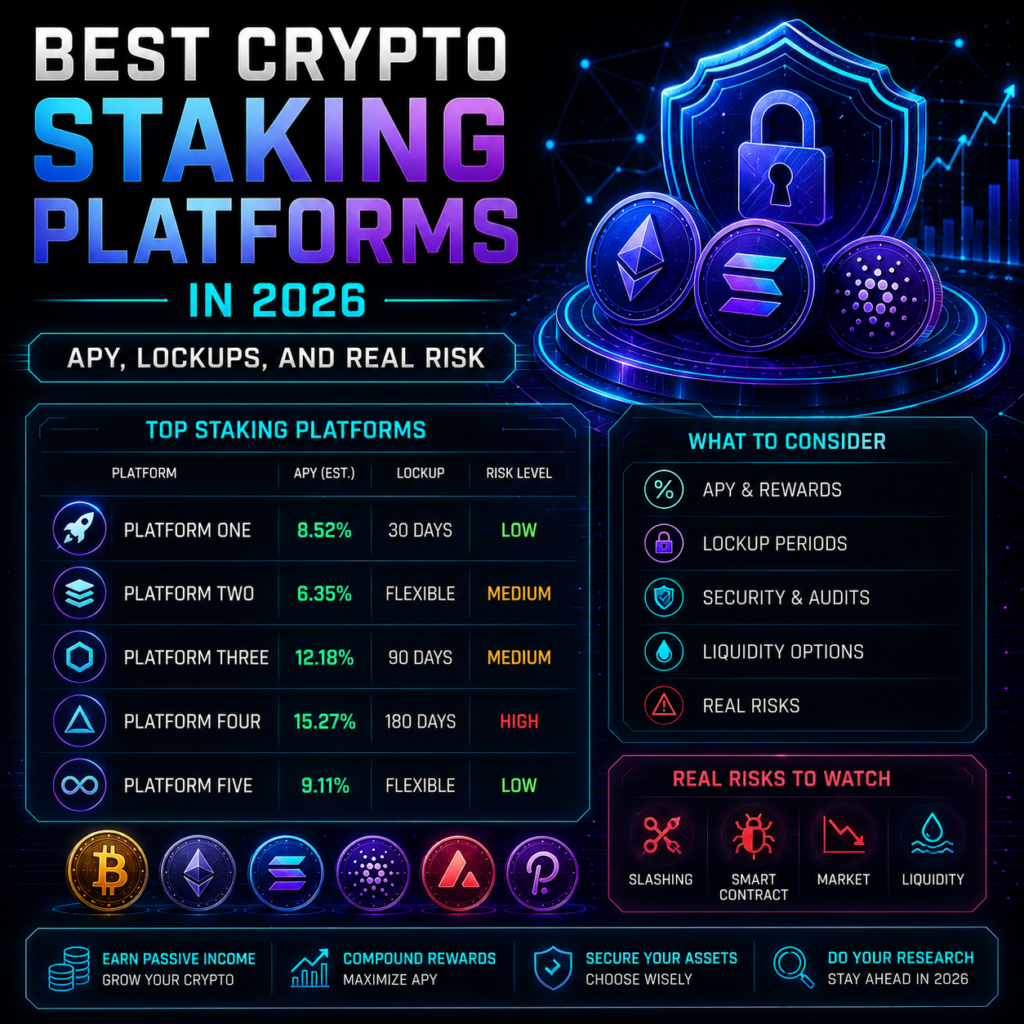
Staking yields have compressed sharply. Ethereum’s network reward rate sat at 1.75% APY on 26 August 2026, according to Coinbase’s own staking page, well below the early post-Merge period. That changes how you evaluate the best crypto staking platforms, because when the network pays under 2%, the commission a platform takes is no longer a rounding error. It is most of the difference between venues. This report compares four on current rates, lockup terms and custody model, then sets out the risks the yield number does not show. Key Takeaways Ethereum’s network staking rate was 1.75% APY on 26 August 2026 per Coinbase, Solana around 3.37%. Displayed APYs are usually gross network estimates. Commissions of 10% to 35% come out of that. Custody is the dividing line among the best crypto staking platforms: Lido and Rocket Pool never hold your keys, Coinbase and Kraken do. Kraken’s bonded staking has an unbonding wait of three or more days, and its flexible product stakes only part of your balance. No rate here is fixed or promised. All four platforms state that rewards vary and can fall. How to read an APY before comparing the best crypto staking platforms Three assumptions sit behind every advertised number. First, the rate is a moving output of network conditions, not a product feature. Lido defines its APR as protocol rewards over the trailing seven days less a 10% fee, and states on its staking page that figures are estimates subject to change. Second, gross and net differ: Coinbase’s 1.75% is the network estimate, before commission. Third, the reward accrues in the asset you staked, so a 2% yield on a token that falls 30% is still a loss in fiat terms. Our Ethereum price outlook covers that side of the equation, and staking through a self-custody wallet is covered in our MetaMask guide. Best crypto staking platforms in 2026 compared Rates for each of the best crypto staking platforms below were checked 26 August 2026. Yields move continuously, so treat these as a snapshot, not a schedule. Platform Indicative rate Lockup Custody Commission Lido (stETH) Around 2.2% to 2.3% APY per Staking Rewards. Lido shows the live figure only in its widget None. Withdrawals queue via the protocol, typically days Non-custodial 10% of rewards, split between node operators and the DAO Rocket Pool (rETH) Around 2.2% APY per Staking Rewards. Not published as a headline figure on the protocol site None. rETH is tradable, or redeemed subject to protocol liquidity Non-custodial Node operator commission, dynamic since the Saturn upgrade Coinbase ETH 1.75%, SOL 3.37% (Coinbase, network estimates before commission) None imposed by Coinbase, but ETH unstaking can take minutes to several weeks Custodial Not stated on the pages checked. Third-party reviews cite 25% to 35%, not independently confirmed Kraken Not published on its overview page. Third-party trackers showed ETH bonded up to 2.41% and SOL 5.29% in mid-2026, not independently confirmed Bonded: three or more days unbonding. Flexible: none Custodial Bonded 25% down to 0% by balance tier. Flexible and Auto Earn 30% Non-custodial: Lido and Rocket Pool These are the best crypto staking platforms for anyone unwilling to hand over keys. Both issue a liquid staking token, so there is no lockup in the conventional sense. You hold stETH or rETH, it accrues value, and you can exit through the protocol queue or the secondary market. Lido is the larger of the two and lists eight audit firms on its staking page, including Certora, ChainSecurity, SigmaPrime and Quantstamp, with reports published in its public audits repository. Rocket Pool’s contracts were audited by Sigma Prime, ConsenSys Diligence and Trail of Bits, whose review is published in full, and its February 2026 Saturn upgrade cut the node operator bond to 4 ETH. Protocol mechanics are set out in its documentation. The trade is that you take smart contract risk directly. Lido’s own risk disclosure is candid: it names smart contract vulnerability, slashing with up to 100% of staked funds at risk if validators fail, and the possibility that the liquid token trades below its underlying value. That last one is not hypothetical. stETH traded at a 5% to 6% discount during the June 2022 liquidity crisis, which mattered to anyone needing to exit that week. Custodial: Coinbase and Kraken With the custodial best crypto staking platforms you are trusting a company as well as a protocol. Coinbase’s ETH page states it imposes no lockup of its own, though protocol unstaking can run from minutes to several weeks depending on the exit queue. Kraken is more explicit about the structure, and its staking overview, updated 19 August 2026, is worth reading before depositing. Bonded staking pays more but locks assets for three or more days after you unstake, during which they earn nothing and remain exposed to price moves. Flexible staking allows instant exit, but for assets with an unbonding period Kraken stakes only up to half your balance, keeping the rest liquid. Your effective yield is therefore lower than the headline rate implies. Kraken also states that it is not a bank, that staked assets carry no FDIC or SIPC protection, and that it will compensate for slashing penalties except in a list of circumstances including hacks, bugs and network maintenance. Read the exception list, not the headline promise. The risks the APY does not price Four exposures sit behind any comparison of the best crypto staking platforms. Slashing is the network penalising validator misbehaviour, and while rare, both Lido and Kraken disclose it can reduce principal. Unbonding risk is the most understated: it is a period during which you cannot sell, and volatility does not pause for it. Custody risk is binary rather than gradual, since an exchange failure affects staked balances regardless of validator performance. Smart contract risk applies to the non-custodial side, mitigated by audits but never eliminated. A fifth, quieter one that no comparison of the best crypto staking platforms tends to cover: rewards are generally taxable as income when received in
How to Spot a Crypto Scam in 2026: 5 Costly Red Flags
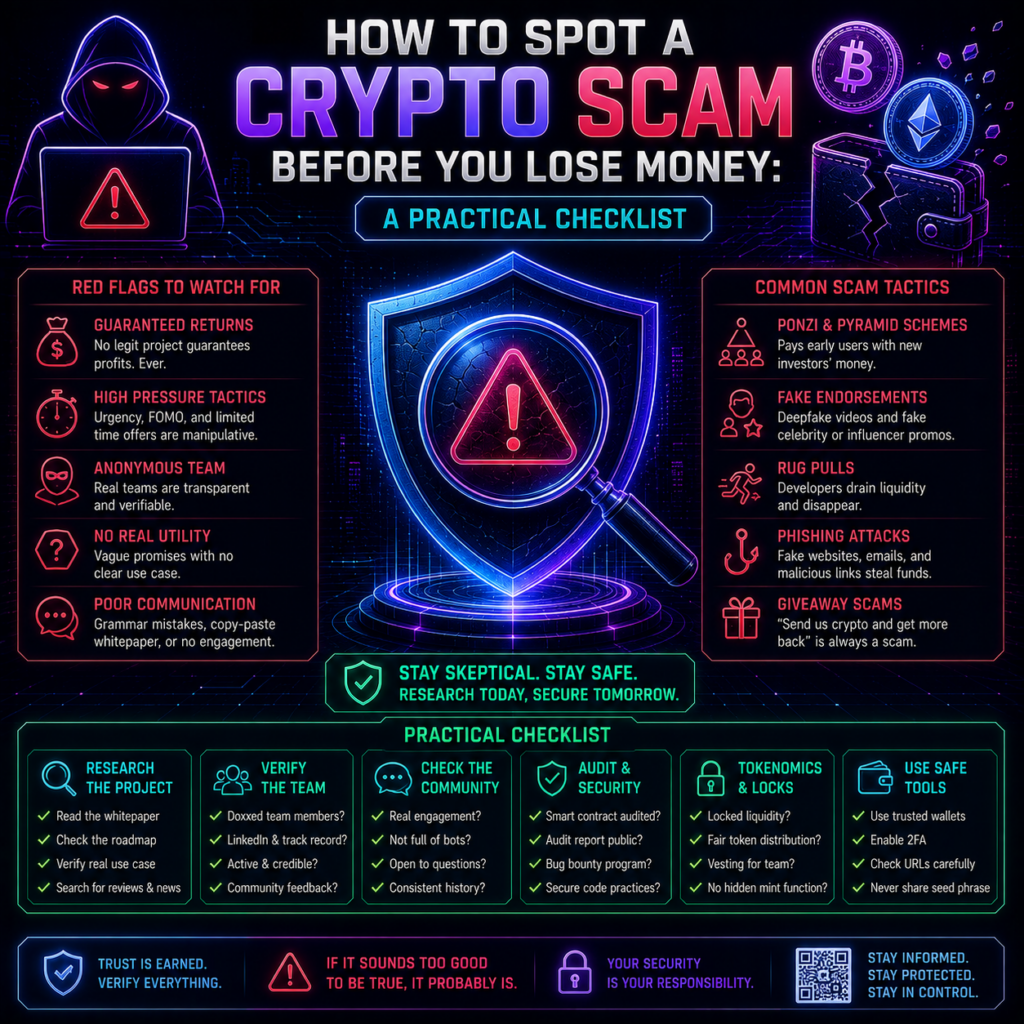
Almost nobody loses money to a scam that looked like a scam. They lose it to a support agent who sounded calm and helpful, a presale with a slick website, or a signature request that seemed routine. So how to spot a crypto scam is less about catching obvious fakes and more about recognising a few repeating shapes. Below are the five that dominated 2025 and 2026, each with a real, named, dated case and the question that would have stopped it. Key Takeaways Chainalysis recorded at least $14 billion flowing to crypto scams in 2025, and projects it could pass $17 billion as more addresses are identified. The average scam payment climbed from $782 in 2024 to $2,764 in 2025, so individual losses are getting larger. Impersonation scams grew more than 1,400% year on year, the fastest-moving category to learn. Most losses come from something you approved, not something that was hacked. Knowing how to spot a crypto scam comes down to five patterns: phishing signatures, fake offerings, impersonation, coordinated pumps and fake support. How to spot a crypto scam: what the 2026 numbers show Chainalysis published its 2026 Crypto Crime Report scam figures in its annual analysis, and the direction is clear: fewer, bigger hits. Scam inflows reached at least $14 billion on-chain in 2025, up from the $9.9 billion first reported for 2024, while the typical payment more than tripled. Impersonation grew fastest, with average amounts sent to those clusters up over 600%. Fewer targets, more pressure on each, which is why how to spot a crypto scam now matters as much as picking assets. 1. Phishing signatures and approvals This is the quiet one. You are not asked for a password or a seed phrase. You are asked to sign something, and that signature grants a contract permission to move your tokens later. On 9 July 2026, security firm Scam Sniffer flagged a wallet that lost $999,999 in USDT after signing a malicious token approval on Ethereum, as crypto.news reported. The attacker’s script asked for a round $1 million, failed because the wallet held slightly less, then recalculated and took the exact remaining balance. Address poisoning is the same family. Scam Sniffer reported two victims losing $50 million in December 2025 and $12.25 million in January 2026 after copying a lookalike address from their own transaction history. Anyone learning how to spot a crypto scam should treat both as signature problems, not hacking problems. The question that stops it: what am I approving, and for how much? Use a wallet that simulates transactions, check the spender address, and revoke old approvals. Our guide on how to use MetaMask in 2026 shows where those permissions live. 2. Fake presales and offerings that do not exist A presale is the easiest thing in crypto to fake, because there is nothing to inspect yet. On 22 December 2025 the SEC filed charges in Colorado against three purported trading platforms and four investment clubs, alleging they took at least $14 million from US retail investors. According to the SEC’s litigation release, victims were recruited through social media ads, moved into group chats where fraudsters posed as financial professionals, then sold “Security Token Offerings” that the regulator says did not exist. When people tried to withdraw, they were asked for advance fees. The question that stops it: what can I verify that does not come from the project itself? A contract address you can check, a named team with a history, a lock on liquidity. If the only evidence is the project’s own marketing and a countdown clock, that is not evidence. If you are new to buying at all, start with our guide to buying crypto rather than a presale. 3. Impersonation and fake giveaways On 23 March 2026, on-chain investigator ZachXBT published a thread documenting a cluster of more than ten X accounts that bought aged accounts with existing followings, posted alarming geopolitical content several times a day to farm engagement, then used that reach to push fake giveaways and scam tokens. One ran a synthetic persona built to resemble a well-known crypto news curator. Large legitimate accounts amplified the posts by replying, lending the operation credibility it had not earned. The question that stops it: is this account actually who it appears to be? Real giveaways never require you to send funds first or connect a wallet to claim, and knowing how to spot a crypto scam here means checking post history and account age rather than follower count. 4. Coordinated pump-and-dump groups The same ZachXBT investigation captured the monetisation step. On 22 February 2026, ten linked accounts simultaneously promoted a token called $ORAMAMA, then never mentioned it again. On-chain evidence indicated six-figure profits, and The Daily Hodl reported X suspended the accounts after publication. The question that stops it: why is everyone saying this at once? Simultaneous promotion across accounts with no obvious connection is the signature of a coordinated campaign, and by the time you have seen it, you are the exit liquidity. Genuine interest builds unevenly, over weeks, with disagreement in it. 5. Fake support calls and messages If you learn only one part of how to spot a crypto scam, learn this one. It takes the most money from the most people and barely involves technology. On 19 December 2025, the Brooklyn District Attorney’s Office announced a 31-count indictment against Ronald Spektor, 23, alleging he stole nearly $16 million from around 100 Coinbase users. Prosecutors say he bombarded victims with automated security alerts, then called posing as a Coinbase representative, warned hackers were draining their accounts, and talked them into moving funds to a “safe” wallet he controlled. The pattern has not slowed. On 10 August 2026, ZachXBT named a US-based caller he ties to at least $5 million in thefts through hardware wallet and exchange support impersonation, including a June 2026 case in which a victim lost $1.2 million from a Trezor after a spoofed email. The question that stops it: did
Best Crypto Hardware Wallet 2026: 6 Top Picks Compared
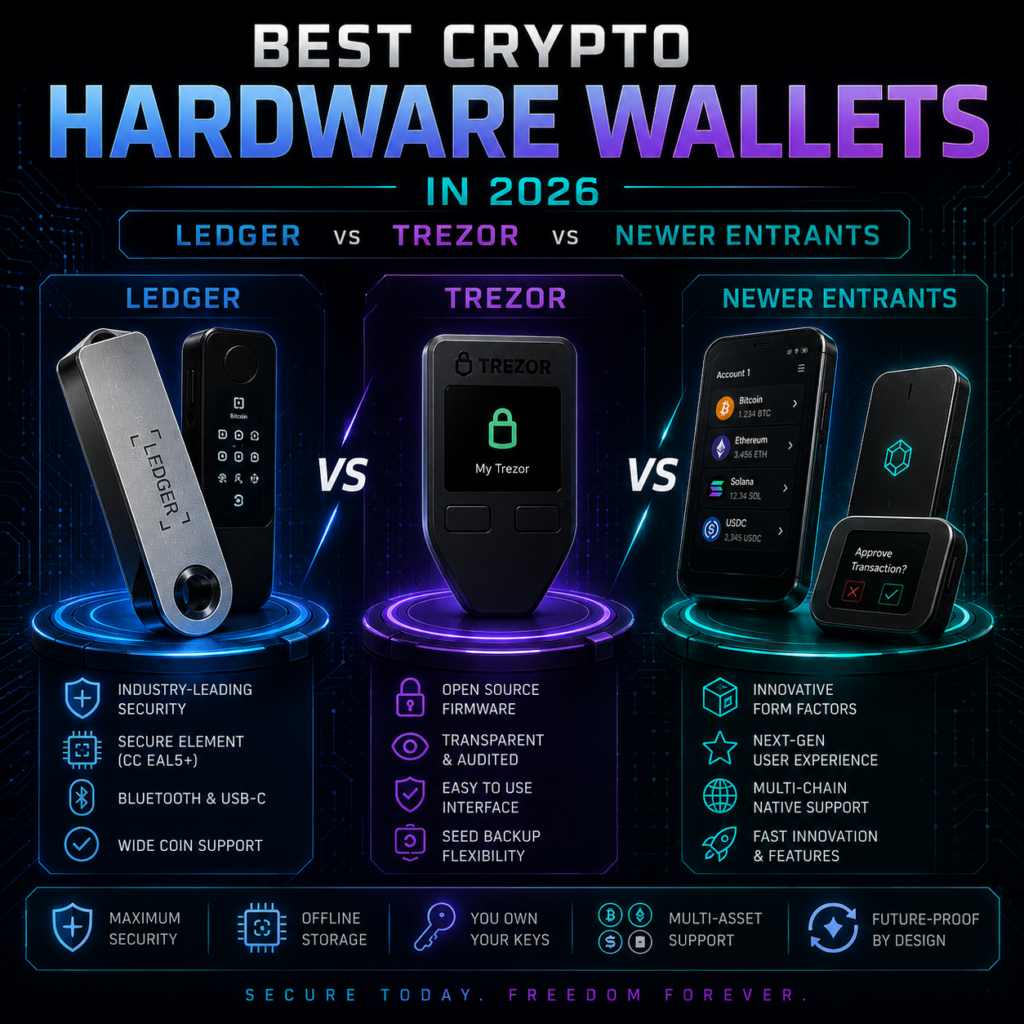
Choosing the best crypto hardware wallet used to be a two-brand decision. In 2026, the shelf is crowded: Ledger sells five signers, Trezor has rebuilt its range around three Safe models, and newer entrants have arrived with air-gapped signing and open chip designs. The marketing pages say much the same things, so the real question is what each company asks you to trust. This best crypto hardware wallet report covers the security model first, then compares six devices on price, coin support, open-source status, and screen. Key Takeaways A crypto hardware wallet protects you from malware, not from approving a bad transaction or losing your recovery phrase. Ledger has the most polished ecosystem, priced $79 to $399, but its firmware and secure element stay closed source. Trezor is the open-source pick, and the Safe 7 ships the first secure element outside researchers can inspect. Keystone 3 Pro and BitBox02 Nova are the strongest newer entrants on any best crypto hardware wallet shortlist. Ledger’s research lab has published lab-grade attacks on rival devices since 2025. One flaw in Tangem cards cannot be patched. Why cold storage beats a hot wallet Software wallets like MetaMask and Trust Wallet keep your private key on an internet-connected device, where a malicious extension, a fake installer, or a clipboard hijacker can reach it. Our guides on how to use MetaMask in 2026 and how to open Trust Wallet in 2026 cover running them safely. A crypto hardware wallet changes the geometry. The private key is generated inside a dedicated chip and never leaves it. Your computer builds the unsigned transaction, the device signs it internally, and only the signature comes back, so a compromised laptop never sees the key. Ledger makes the same point on its product pages: keys held on internet-connected systems face attacks that offline storage sidesteps. Two caveats matter more than any spec, and any best crypto hardware wallet comparison should lead with them. First, the device screen is the security boundary. Approve a transaction without reading it and the hardware worked perfectly while your funds left anyway. That is how the December 2023 Connect Kit incident played out: attackers pushed a malicious version of a library thousands of dApps loaded, and users signed drain transactions through legitimate front ends, per Ledger’s incident report. Second, your recovery phrase is the real vault, and phishing letters built to extract those words remain the industry’s most productive attack. With that in mind, here is how the best crypto hardware wallet options compare. Best crypto hardware wallet 2026: the comparison table Prices for every best crypto hardware wallet candidate below were checked in August 2026 against manufacturer stores and dated 2026 reviews. Pricing moves with promotions, so confirm at checkout. Device Price Coin support Open source Screen Ledger Nano Gen5 $179 (Ledger) 500+ in the Ledger Wallet app; Ledger advertises 15,000+ assets via third-party wallets No. Ledger OS and secure element firmware are proprietary E Ink touchscreen Ledger Flex $249 (Ledger; TechCrunch at launch) As above No Larger E Ink touchscreen, Gorilla Glass Trezor Safe 5 $169 list; $129 reported mid-2026, not independently confirmed as a permanent cut Trezor states 1,000s of assets; 2026 reviews cite 8,000 to 9,000+ Yes. Firmware and design published 1.54-inch colour touchscreen, 240×240 Trezor Safe 7 $249 (multiple dated 2026 reviews) As Safe 5 Yes, plus the auditable TROPIC01 secure element 2.5-inch colour touchscreen, 520×380 Keystone 3 Pro $149 (Keystone store) 5,500+ assets across 45+ compatible software wallets Partly. App firmware on GitHub; MCU library and secure element firmware unpublished 4-inch LCD touchscreen, 480×800 BitBox02 Nova Listed around €175 in 2025 reporting; 2026 price not independently confirmed; check the Shift Crypto store Multi edition lists BTC, ETH and ERC-20, ADA, LTC plus 1,500+ tokens; separate Bitcoin-only edition Yes. Firmware fully open source OLED behind glass, touch sliders Ledger: the biggest ecosystem, the most closed code Ledger is still the default best crypto hardware wallet recommendation for newcomers, and the reason is the software rather than the silicon. Its range runs from the $79 Nano S Plus to the $399 Stax, with the $179 Nano Gen5 as the mid-tier touchscreen signer and the $249 Flex above it. The newer models share a Common Criteria EAL6+ certified secure element, so the price ladder buys screen size and build quality, not a different trust model. Ledger’s answer to the open-source camp is Clear Signing: readable transaction details on a certified screen instead of hex you cannot check. The trade-off is transparency: you cannot audit Ledger OS or the secure element firmware, so you are trusting the company and its certifications. Its rough patches have come on the data side rather than the hardware. Customer order data was exposed in January 2026 through a breach at payments partner Global-e, Crowdfund Insider reported. No keys were involved, but leaked buyer lists feed the phishing letters that do steal recovery phrases. Trezor: open source, now including the chip Trezor’s current lineup is the Safe 3, Safe 5 and Safe 7, all with EAL6+ secure elements, open-source firmware, multi-share backup and USB-C. The Safe 7, launched in October 2025, is the one to watch if you rank the best crypto hardware wallet on verifiability: it pairs TROPIC01 with Infineon’s OPTIGA Trust M and an STM32U5 microcontroller, and TROPIC01 is the first secure element with a published design rather than one behind an NDA. That openness got tested faster than anyone expected. The newer entrants worth taking seriously The Keystone 3 Pro at $149 is fully air-gapped. No Bluetooth, no NFC, no USB data path: transactions move as QR codes on a 4-inch touchscreen or by microSD, behind three secure element chips and a fingerprint sensor. If your definition of the best crypto hardware wallet is maximum isolation, this is it. Its open-source claim carries an asterisk, since the MCU library and secure element firmware are unpublished, and it is a Hong Kong company manufacturing in China, which matters for some threat models. BitBox02 Nova, from Swiss