Working out how to accept crypto payments on website checkout sounds like a technical problem and mostly is not. The integration is the easy part, usually a plugin and an API key. The decisions that matter come before and after: which currency you want to hold, and how you record it all when the tax year closes. This guide runs the sequence in order, using a real gateway’s published setup steps, and assumes no coding knowledge.
Key Takeaways
- How to accept crypto payments on website checkout comes down to a plugin, an API key and a settlement currency setting. No code required.
- CoinGate’s published WooCommerce steps run to seven items and use a free plugin from the WordPress directory.
- Auto-converting to fiat removes price risk. Holding crypto keeps it. Decide this before you switch anything on.
- Test in a sandbox first, using separate credentials, because production API keys will not work there.
- The IRS treats crypto received for goods or services as ordinary income at its value when received.
Step one: pick a gateway, and pick it on settlement
Gateways differ on fees, supported coins and integrations, but the question that should drive your choice is what lands in your account. Some settle to your bank in fiat, some pay you in crypto, some do either depending on your setting.
Also check whether the gateway is custodial. Most hold your funds between checkout and payout, which is what makes fiat settlement and refunds possible. Self-hosted processors never touch your money, but you run the software. Neither is better in the abstract; it depends on whether you have technical staff.
Step two: how to accept crypto payments on website checkout, step by step
Here is what the process actually looks like, taken from CoinGate’s official WooCommerce plugin repository, which publishes its installation steps in full.
Before touching your site you create an account and, to test first, a separate one in the sandbox. That second account matters: the documentation is explicit that live credentials will not work in the sandbox. You then generate API credentials, via the auto-setup wizard or by opening the API tab, clicking Apps, then New App, and set your settlement currency.
The WordPress side is seven steps and no code. Plugins, Add New, search for the gateway’s plugin, install, activate. Open WooCommerce, Settings, Payments, find the crypto method and tick Enabled. Click into it to adjust the title and description customers see. Paste your API credentials. Map the gateway’s order statuses to WooCommerce’s, leaving defaults if unsure. Turn Test Mode on if using sandbox credentials. Save.
That is it for a standard store. The same repository sets out what customers get: payment in 15 or more cryptocurrencies including Bitcoin, Ethereum, USDC and Litecoin, across networks including Polygon, Arbitrum, Base, Optimism and Solana.
Step three: decide what happens to volatility
This choice separates merchants who find crypto payments boring from merchants who find them stressful, and it is the step most guides on how to accept crypto payments on website checkout skip.
Auto-conversion locks an exchange rate at checkout and converts immediately, so a 100 euro order is 100 euros of value whatever the coin does afterwards. CoinGate’s own worked example describes exactly this: a customer pays the crypto equivalent of a 100 euro order at real-time rates, roughly 99 euros lands in the merchant account after fees, withdrawable to a bank in EUR, USD or GBP.
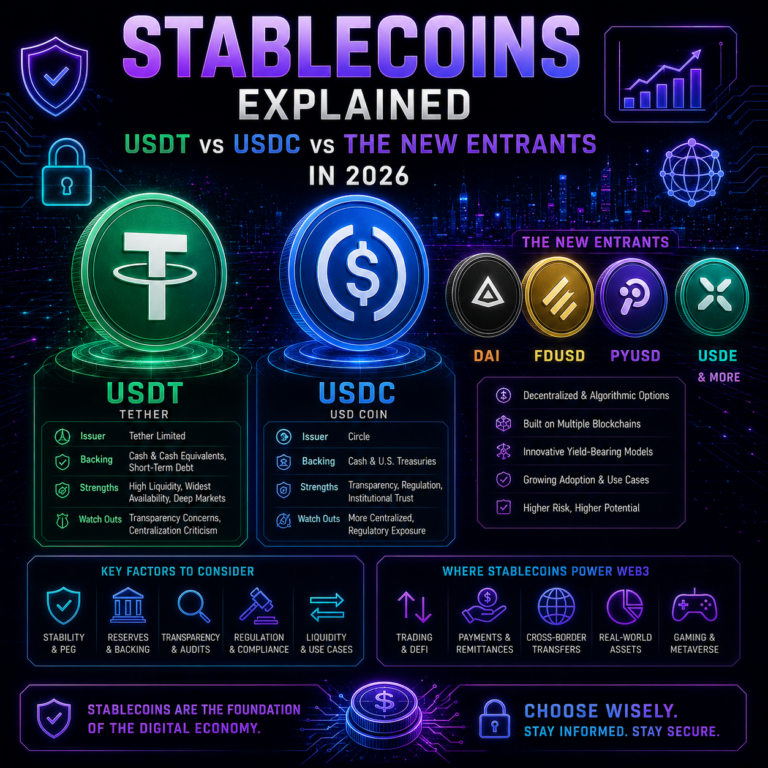
Holding means keeping the coin and carrying the price risk. That is a treasury decision, not a payments one, and it belongs to whoever manages cash flow rather than whoever builds the site. A middle path has become common: settle into stablecoins, removing day-to-day volatility without an immediate trip through the banking system. Our coverage of stablecoin usage in 2026 covers why more businesses choose it.
Whichever you pick, crypto payments are final. No chargebacks removes a familiar cost and a familiar safety net, so refunds become something you handle directly.
Step four: records and tax, from day one
This is the part merchants postpone and regret. In the US, the IRS FAQs on digital asset transactions state that receiving digital assets in exchange for providing services is ordinary income, measured at the fair market value in US dollars when received. Digital assets are treated as property, so if you hold the coin and later convert it, that disposal is a separate taxable event with its own gain or loss.
The same FAQs set out the recordkeeping requirement: keep records sufficient to establish the positions taken on your return, including receipts, sales, exchanges, dispositions, transfers and fair market value. In practice: date, amount received, dollar value at the time, and transaction reference, for every order.
Good gateways help. The CoinGate repository lists exportable accounting and payout reports among its features, worth confirming before you commit, because reconstructing a year of on-chain payments by hand is miserable. Rules vary by country, so take the filing to an accountant.
Disclaimer: This article is for informational and educational purposes only and is not financial, tax, legal or business advice, and no provider is endorsed. Accepting crypto exposes a business to price volatility and to irreversible settlement with no chargeback protection. Tax treatment and licensing requirements vary by jurisdiction and change. Setup steps and fees may differ from those published when this was written, so confirm directly with your provider, and consult a qualified accountant about your obligations. See our editorial policy for how we source and verify our reporting.
Final Thoughts
The honest summary of how to accept crypto payments on website checkout in 2026 is that the technical barrier has largely gone. A merchant with a standard store and no developer can be live in an afternoon, and much of that afternoon is account verification rather than configuration.
What is left is the two decisions the plugin cannot make for you. Settle your settlement currency before enabling anything, because changing your mind later means unpicking bookkeeping. And set up record-keeping on day one rather than in January. Get those right and how to accept crypto payments on website checkout stops being a project and becomes a setting. Our piece on real-world crypto utility in 2026 covers where merchant acceptance sits in the wider picture.
Data Sources
- CoinGate, official WooCommerce plugin repository and installation guide, read 28 August 2026
- CoinGate, how to create API credentials, checked 28 August 2026
- CoinGate, Pricing and Service Fees, page last modified 28 May 2026
- Internal Revenue Service, Frequently asked questions on digital asset transactions, checked August 2026